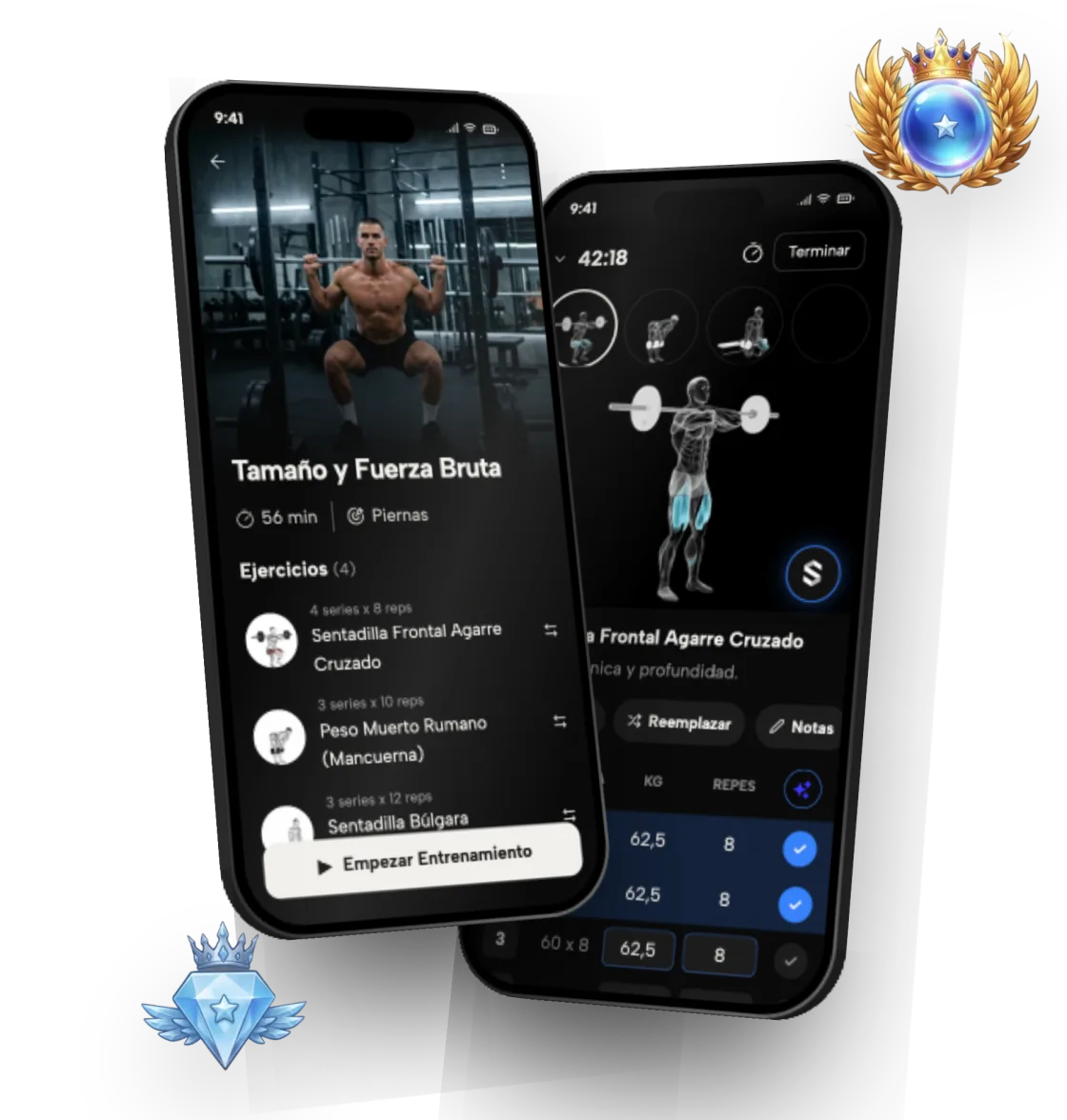
Home vs gym workouts: a plan for wherever you train
Symmetry builds workout plans that adapt to where you train: a fully equipped gym, your home with minimal equipment, or a mix of both.
Symmetry teamUpdated 2 min read
On this page
Gym workouts
If you train at a gym, the app makes use of barbells, dumbbells, cables and machines. It prioritizes compound lifts and adds isolation work on top for complete development.
- Barbell lifts: squat, bench press, deadlift
- Dumbbell and cable work
- Machines to isolate each muscle
- A weekly split optimized for the days you have
Home workouts
You don't need a gym to make progress. Symmetry generates plans with minimal equipment or just your bodyweight, and picks the most effective exercises for what you have.
- Bodyweight exercises
- Dumbbell and resistance band routines
- Progressions adapted to limited equipment
- Alternatives for every exercise
Is it better to work out at home or at the gym?
The gym makes progressive overload easier because you have more weight and more machines. At home you gain convenience and consistency, which for a lot of people is what counts most. You can make progress in either place if the plan is well put together.
At home, when the weights you have run out, progressive overload still works: you progress by adding reps, sets or difficulty instead of load.
Mix both
If you go to the gym some days and train at home on others, Symmetry organizes the week so the sessions complement each other. The app keeps track of total volume and how it's distributed across muscles, wherever you train.
What Symmetry adapts to your equipment
- 01
Exercise selection
Only exercises you can do with the equipment you list.
- 02
Alternatives
If you're missing a machine, the app offers an equivalent exercise.
- 03
Progression
Progressive overload adapts to limited weights by adding reps.
- 04
Weekly volume
Your sets per muscle stay balanced even when you change location.
The exercises, step by step
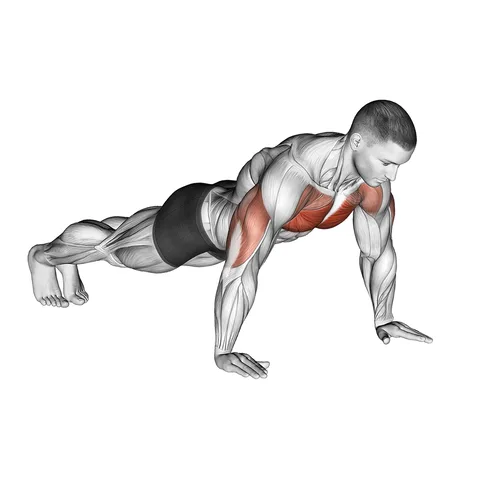 Push-upsChest, shoulders and triceps with no equipment, anywhere.
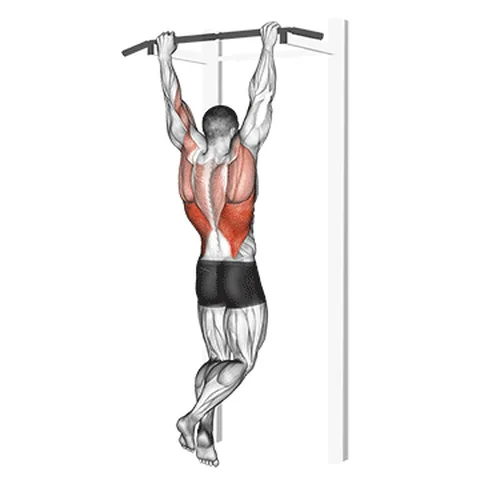 Pull-ups (pronated grip)With a bar at home, your back doesn't depend on the gym.
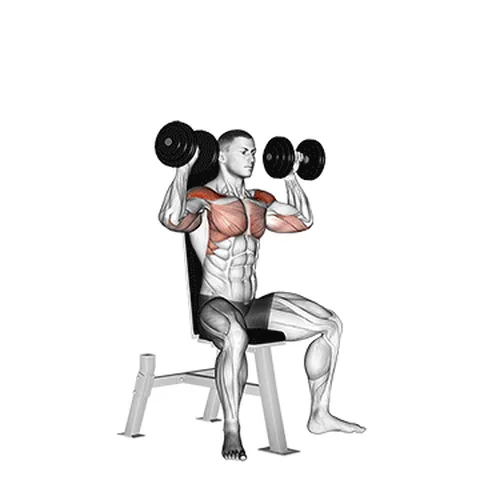 Dumbbell shoulder pressWith a pair of adjustable dumbbells it works just as well at home.
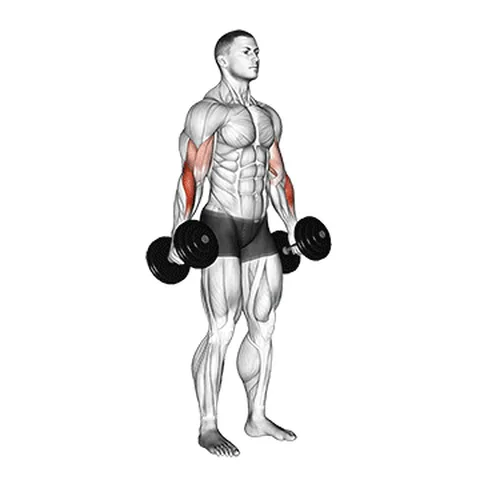 Dumbbell hammer curlBiceps and forearms with the same pair of dumbbells.
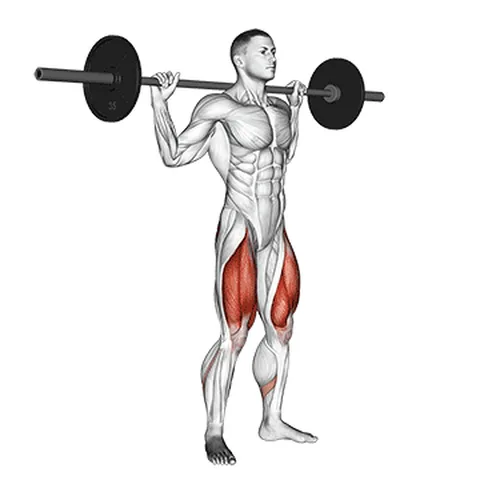 High bar squatThe leg staple when you train at the gym.
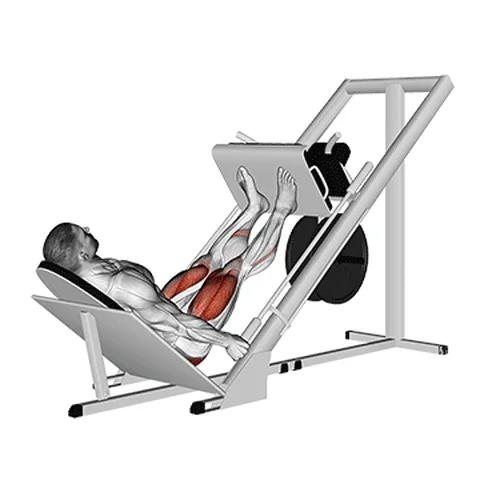 45-degree leg pressThe machine alternative to the squat at the gym.
Technique, muscles and alternatives for each one in the exercise library.