Progressive overload: what it is and how to apply it
By Raúl MedinaUpdated 9 min read
Progressive overload is gradually increasing how demanding your training is (more reps, more weight or more sets) so your muscles keep adapting. The simplest way to apply it is double progression: add reps until you reach the top of a rep range, then add weight.
Here are the numbers to do it: a week-by-week table, how much to add by equipment, what weight matches each rep count, what to do depending on how your last session went and how Symmetry calculates it, including what is free and what is Pro.
Table of contents
- 1What is progressive overload?
- 2What are the ways to apply it?
- 3How does double progression work?
- 4How much weight should you add, by equipment?
- 5What happens to your reps when you add weight?
- 6Which rep range should you use for your goal?
- 7How often should you add weight?
- 8What should you do when you stall?
- 9What about bodyweight moves and assisted machines?
- 10How do you track your progression?
- 11Progressive overload app: what Symmetry does
- 12What Symmetry gives you to progress
- 13The exercises, step by step
What is progressive overload?
It is the principle of asking your body for slightly more than it already handles, gradually, so it keeps improving. If you always lift the same weight for the same sets and reps, your body adapts and has no reason to change.
It does not mean adding weight every session. It means that, over time, your numbers improve with the same technique. To know that, you need a piece of data almost nobody records well: what you did last time on that same exercise.
What are the ways to apply it?
There are several ways to make a session harder than the last one. They are ordered from the simplest to the least recommended when you start:
- More reps with the same weight.
- More weight for the same reps.
- More sets of an exercise, if you recover well.
- Better technique or a fuller range of motion with the same load (for example, lowering the bar to your chest on the bench press).
- Less rest between sets for the same work.
How does double progression work?
You pick a rep range for each exercise, for example 8–12. You start with a weight that lets you reach 8 reps on every set and add reps each week. When you complete every set at the top of the range (12), you add weight and start again from 8.
Example with the bench press, 3 sets of 8–12 reps, using 135 lb as a sample weight:
| Week | Weight | Set 1 · 2 · 3 | What happened |
|---|---|---|---|
| Week 1 | 135 lb | 10 · 9 · 8 | Starting point. |
| Week 2 | 135 lb | 11 · 10 · 9 | One more rep per set. |
| Week 3 | 135 lb | 12 · 11 · 10 | You hit the top on the first set. |
| Week 4 | 135 lb | 12 · 12 · 12 | Top of the range on every set: time to add weight. |
| Week 5 | 140 lb | 9 · 8 · 8 | Reps drop with more weight. That is expected. |
- If you do not reach the top on every set, do not add weight: repeat it and add reps.
How much weight should you add, by equipment?
What you can add is decided by your equipment, not by how you feel. These are typical jumps, as a general reference:
One rule avoids many mistakes: if the smallest jump you have is too big for your load, add a rep instead. Going from 15 lb to 20 lb dumbbells on a shoulder press is a 33% jump at once; one more rep per set is a much more reasonable step. As a guide, if the jump is more than roughly 10–12% of the load, add reps.
| Equipment | Typical jump | Tip |
|---|---|---|
| Barbell, Smith machine | 5 lb (2.5 kg) | If you lift light, use fractional plates or add reps. |
| Dumbbells | 2–5 lb per dumbbell | Below 20 lb, one more rep is usually better. |
| Kettlebells | 5–10 lb | Sizes jump a lot: use reps. |
| Cables and plate machines | 5 lb under about 130 lb, 10 lb above | If the next plate is a big jump, add reps. |
| Bodyweight | Reps | Add weight only when you reach the top of the range. |
What happens to your reps when you add weight?
When weight goes up, reps go down. The useful question is by how much. Coaches work it out with an estimate of your max (1RM), then run it backwards for the reps you want. Symmetry uses the same idea: Lander up to 5 reps and Baechle above that, counting at most 12 reps because past that the estimate stops being reliable.
With Baechle, your estimated max is weight × (1 + 0.033 × reps). If you do 135 lb × 10, that is 135 × 1.33 ≈ 180 lb. To find the weight for other reps, divide that max by (1 + 0.033 × reps). This table is an estimate, not a promise: use it as a starting point and adjust to how the set feels.
| Reps | Approximate weight | How it is calculated |
|---|---|---|
| 12 | 130 lb | Baechle |
| 10 | 135 lb | Your starting point |
| 8 | 140 lb | Baechle |
| 6 | 150 lb | Baechle |
| 5 | 160 lb | Lander |
Which rep range should you use for your goal?
Progression works the same way, but the range changes. These are the three rep ranges you can choose in your Symmetry plan settings.
For hypertrophy the usual range is 8–12 reps, and it is the one the app uses for moderate-intensity exercises. If muscle growth is your goal, the double progression above is your method.
| Goal | Range | How to progress |
|---|---|---|
| Strength | 4–6 reps | Add weight when you complete every set at 6; rest longer between sets. |
| Hypertrophy | 8–12 reps | Double progression: reps up to 12, then weight. |
| Endurance | 12–20 reps | Add reps; add weight only when you complete all 20. |
How often should you add weight?
Not every session and not on every exercise. Beginners usually progress faster; with experience it gets harder and gains come every few weeks.
One rule avoids false jumps: do not add weight after a single session. Symmetry needs at least two sessions of the same exercise before it proposes more load, and it only adds it if your performance was stable between them (its max estimate changed by less than 5 kg). If the first session was a good day and the second a bad one, the app proposes a weight based on your last session, without forcing an increase.
Apply it like this: repeat the weight once to confirm it, and add weight when your last two sessions reached the same numbers with room to spare.
What should you do when you stall?
Look at what happened last time on that exercise and decide with this table. To measure effort use reps in reserve (RIR): 0 is reaching failure and 3 or more means the set was easy. RPE is the same thing in reverse, from 1 to 10, where 10 means you could not do one more.
| Last time… | What to do today |
|---|---|
| You completed every set with 3 or more reps left | Add weight. |
| You completed every set, but only just | Add one rep per set, or add weight if you are already at the top. |
| You hit failure (RIR 0) or missed reps | Repeat the same weight until you complete every set with room to spare. |
| You felt discomfort or pain in a joint | Do not add. If it repeats, lower the load or swap the exercise and talk to a healthcare professional. |
| The same top set for several weeks | Change the stimulus: another rep range or an equivalent variation. |
| You are back after more than two weeks off | Start with a bit less load and build back up. |
- Are you sleeping and eating enough to recover?
- Are you logging your sets accurately? Without numbers you cannot tell if you are progressing.
- Are you doing more volume than you can recover from? A deload week sometimes helps: same exercises and sets with less load.
What about bodyweight moves and assisted machines?
On bodyweight exercises such as push-ups or pull-ups, progression starts with reps. Only when you reach the top of your range does adding weight make sense.
On assisted machines the number you enter is the help, not the load: progressing means needing less help. Symmetry accounts for this: on an assisted exercise the progression takes 2.5 kg of assistance off instead of adding weight, and zero assistance is the unassisted exercise, the hardest version.
How do you track your progression?
Log every set with weight, reps and perceived effort (RPE or RIR), and look at the last session of the same exercise before you start. Without a log, progressive overload is an impression, not data.
Always compare the same set with the same set: your first set today against the first set of your last session. Symmetry does it this way: it compares each set with the one in the same position in the previous session, not with the average.
Progressive overload app: what Symmetry does
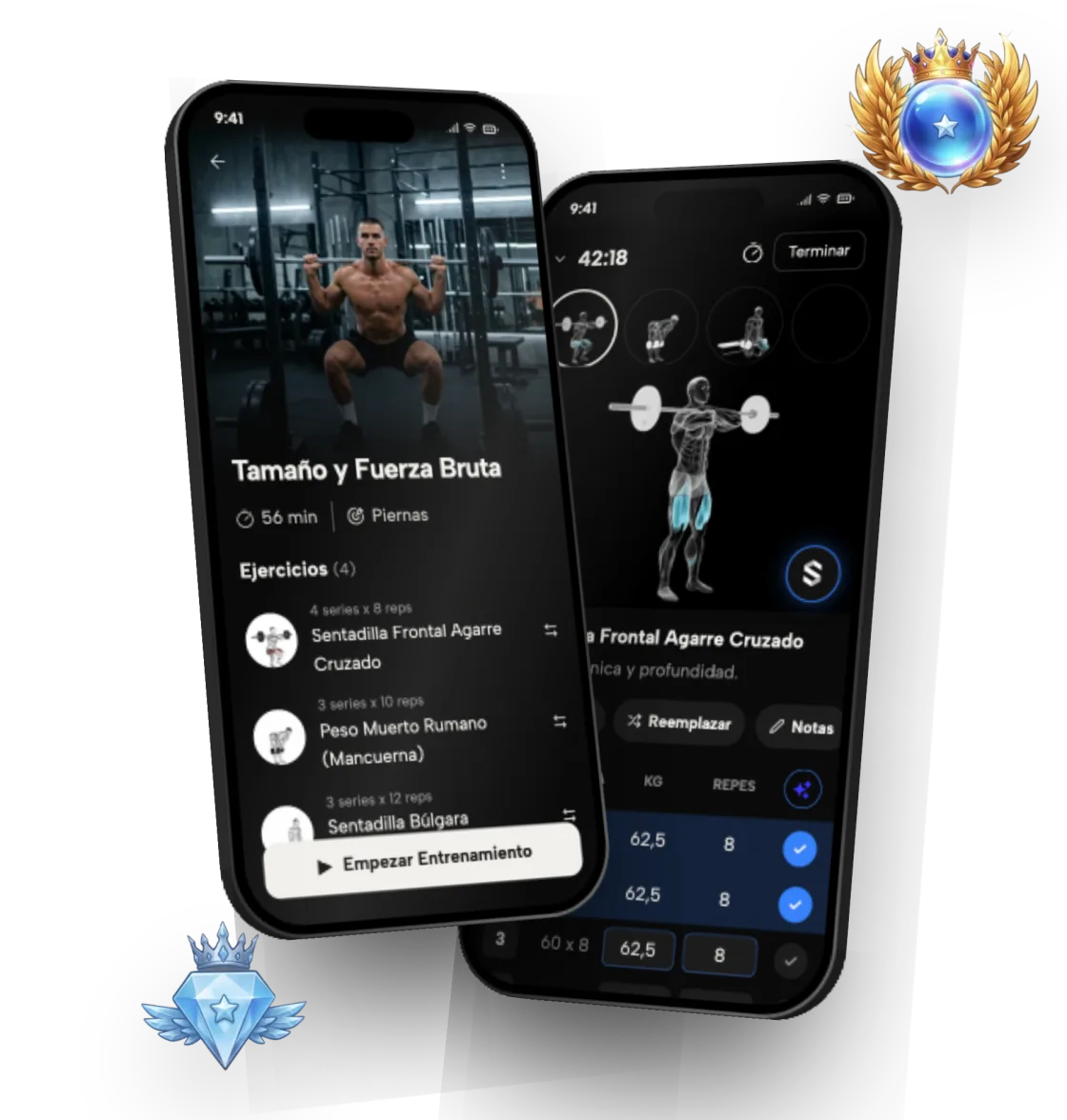
On the free plan you log every set with weight, reps and RPE, and see your strength charts, personal records and ranks per exercise, per muscle and overall, from Iron to Symmetric, with no ads. Download Symmetry free and apply the progression yourself with this guide.
With Symmetry Pro, the progressive overload button proposes the weight for each set. It looks at your last two sessions of that exercise and, for each set, calculates your estimated max with the formulas above. If performance was stable it adds one plate step (2.5 kg); if not, it proposes the weight from your last session for the target reps, rounded to 2.5 kg. On sets of 20 reps or more it does not change the weight.
In the adaptive plan, progressive overload is on by default and you can turn it off in the plan settings. You can also set a deload every few weeks, with the percentage reduction you want. Build your plan in under a minute.
What Symmetry gives you to progress
- 01
Suggested weight for every set
Using your last two sessions and your estimated max, the app proposes the weight for each set (Pro).
- 02
Set logging with RPE
Weight, reps and effort for every set, so you can compare session to session.
- 03
Records and strength charts
Your best marks are detected automatically and you see your strength per exercise over time.
- 04
Ranks
From Iron to Symmetric, per exercise, per muscle and overall.
- 05
Configurable deload
Choose how many weeks between deload weeks and how much the load drops.
The exercises, step by step
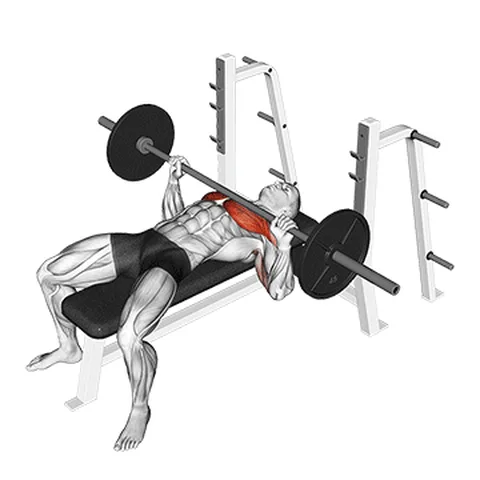 Flat barbell bench pressA staple for adding load little by little.
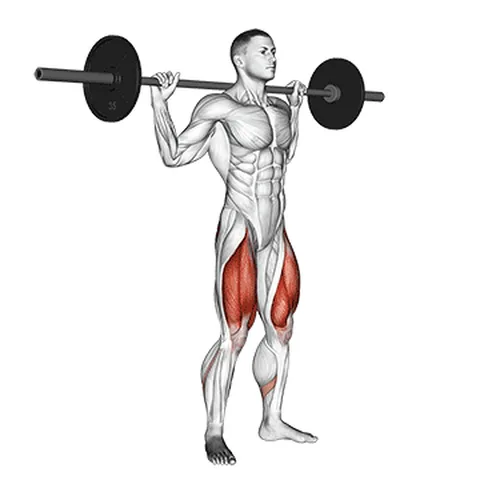 High bar squatA compound lift to progress in weight.
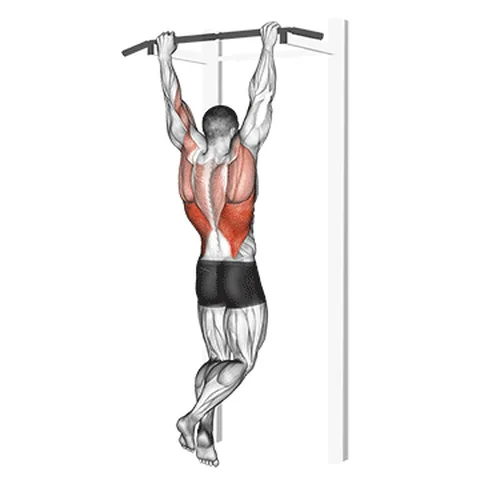 Pull-ups (pronated grip)Progress by adding reps with your own bodyweight.
Technique, muscles and alternatives for each one in the exercise library.